Posts

Showing posts with the label SCOM

Creating Custom Monitors in SCOM

Image
One of the awesome things about OpsMgr is that if you can't find a management pack to do something you need done, you can write your own. At a basic level, you don't need to write a whole management pack. If writing your own MP is akin to writing a cookbook, making a custom monitor is like writing a simple recipe. We're going to write a basic custom monitor in the instructions below.

Creating Overrides in SCOM

Image
As mentioned in the documentation for importing MPs, there's 2 kinds of MPs. Sealed and Unsealed. Examples of sealed MPs would be the majority of those available from Microsoft. Examples of unsealed MPs would be the MPs you make for a custom monitor. With an unsealed MP, you can get in there, root around, change things, etc. With a sealed MP, you cannot. The way to change the behavior of monitors and rules in sealed MPs are to create overrides. Overrides basically step in to tell OpsMgr “Look, I know what the Management Pack said but we're going to do it this way, kapeesh?”

Importing SCOM Management Packs

Image
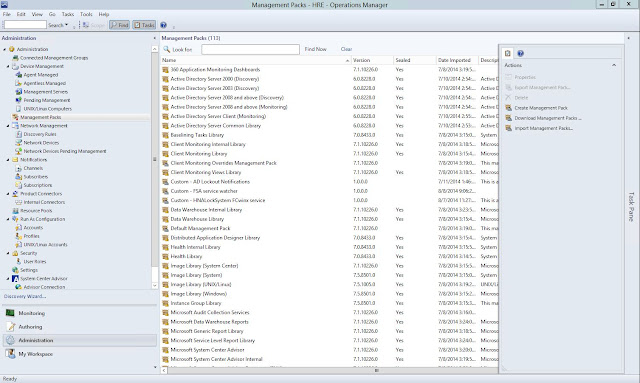
OpsMgr is best described as a framework rather than an application. After installation, you'll notice there's really nothing going on. You have to teach it what you want it to do. This is done with Management Packs. This post is designed to provide a basic explanation of the purpose of Management Packs and how to import one into OpsMgr, not to provide in-depth detail as to what they are and their inter workings. If you do want to know more about the nuts and bolts of Management Packs, click here.

Deploying SCOM Agents

Image
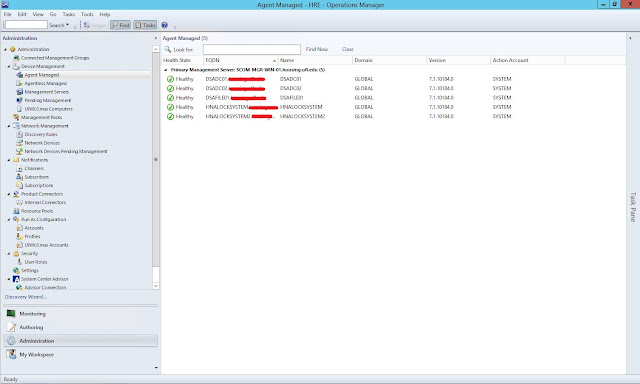
OpsMgr supports both Agent and Agentless monitoring. Agent monitoring is generally easier on the management server as collection processes and tasks run on the target host rather than the management server. Agent monitoring is akin to “So $server, tell me about yourself.” while agentless monitoring is more like “$server, tell me about your friend. Is she single? What's the deal?” Agentless monitoring is primarily used for monitoring network devices rather than workstations or servers. In my environment, cacti is already monitoring network devices with pings or SNMP queries so we aren't using agentless monitoring in OpsMgr in our environment. However, should you want to know more about it in the future, you can read all about it here. Below are instructions for deploying an agent in OpsMgr.

Suppressing Closed Alerts in SCOM

Image
So, over the summer I've been setting up and configuring SCOM in our environment.  I've gotten pretty decent with it if I do say so myself. I've written a few custom monitors, have a few management packs imported, you know, generally rocking out with SCOM. My boss wanted me to figure out how to suppress closed alerts in SCOM and I could see why. It was getting a little chatty and most of the custom monitors I had going were set to auto resolve after a certain amount of time. We'd get an email for each resolution state of a critical alert.  

My introduction to SCOM

OpsMgr is a very large and complicated program. It's best described as a framework. It's not a matter of installing it, deploying some agents, importing a few management packs and moving on to the next project; It's like an infant being left on your doorstep and you have to raise it up into a productive member of society.Our overall goal for OpsMgr is to handle some of the one-off tasks we can't accomplish with Cacti, not to replace or override Cacti. Cacti is our primary monitoring system. It's predates us using OpsMgr and has had 6+ years to grow into what it's doing today (which is a lot). Though we've had OpsMgr before (SCOM 2007), it was setup to handle some specific monitoring items that Cacti couldn't do. No monitoring system is plug-and-play so any product you get can do a lot with enough work. However, OpsMgr, being designed by Microsoft and part of their System Center suite of IT Management programs, can very deeply monitor the health and avail...